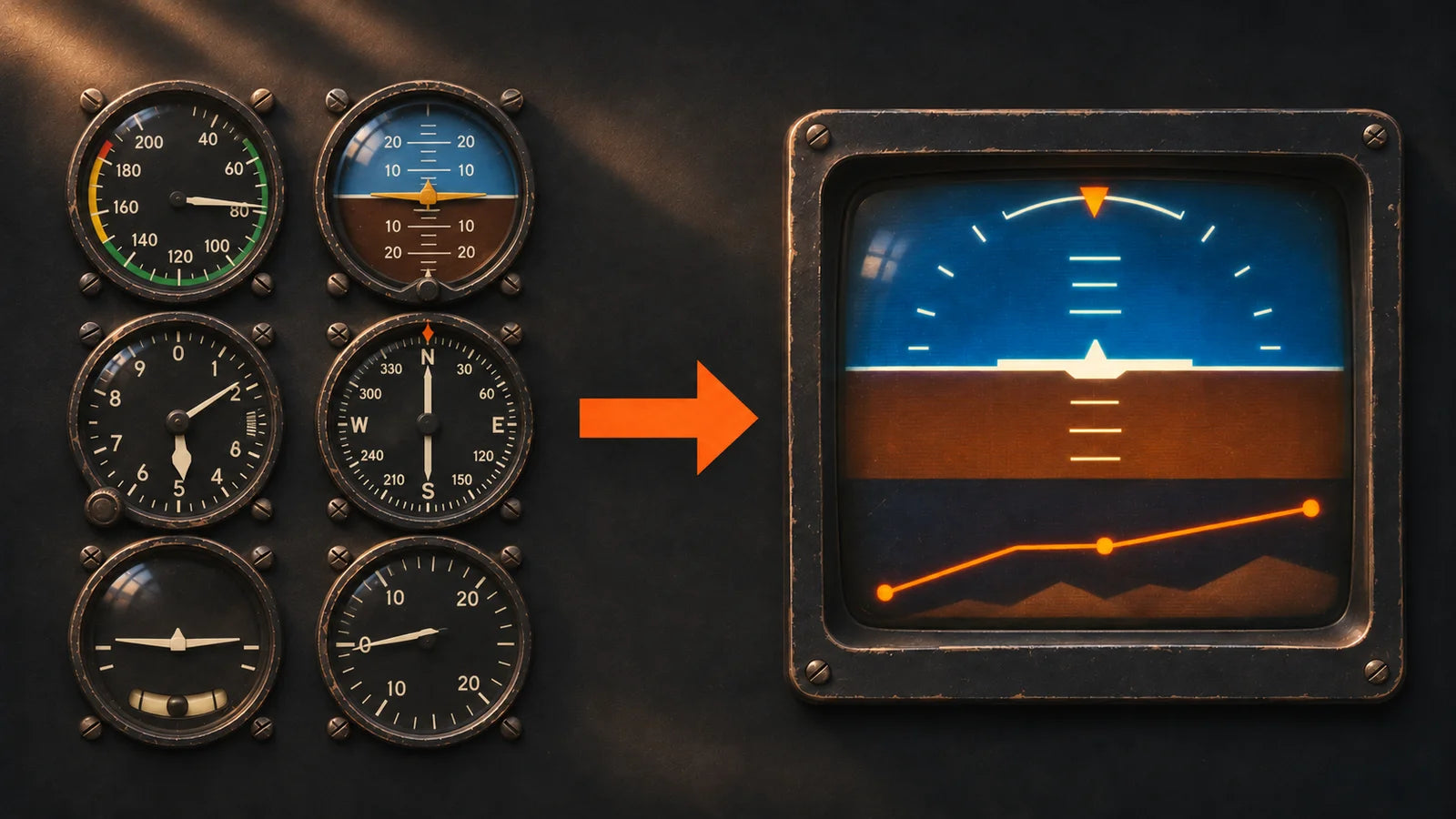
Two airplanes can share a make, a model and even a year, and still need different checklists. The difference is usually sitting right in front of the pilot: the panel.
Avionics change how a pilot navigates, talks, flies an approach and handles a failure. When the equipment changes, the steps that use it change too. A checklist written for the airplane as it left the factory can quietly fall out of step with the airplane as it flies today.
What the panel changes
Some equipment adds steps. A glass display needs to finish starting up before it can be trusted. A GPS navigator needs its database checked before flight. An autopilot needs a preflight test and a clear way to disconnect it.
Other equipment removes or moves steps. Engine monitoring may replace separate gauges. Backup instruments may change what you check after a display failure. Even where a familiar step stays, the switch, the page or the wording can be different.
A real example: one model, two panels
Picture two 2005 Cessna 172S airplanes. One has round gauges. The other has a Garmin G1000 glass panel. Same model, same year, same engine. The G1000 airplane still needs steps the other never sees: arming and checking its standby battery, letting the displays finish starting, and testing its own autopilot.
A round gauge checklist in a G1000 cockpit skips those steps. A G1000 checklist in a round gauge cockpit asks for switches that are not there. Both look fine on paper. Only one fits the airplane.
The round gauge 172S has no standby battery switch, so this line never appears in its checklist.
Supplements are part of the handbook
When avionics are installed after delivery, they usually come with a flight manual supplement. That supplement becomes part of the airplane's handbook. It can add normal procedures, emergency procedures and limitations that the original pages never mention.
That is why we ask about the panel up front. Knowing the displays, navigator, autopilot and engine monitor tells us which supplements apply, and which steps belong in your checklist.

Matching the checklist to the panel
Once we know what is installed, every step is checked against the handbook and the supplements that apply to it. Steps for equipment you do not have stay out. Steps for equipment you do have go where you will need them in the flight.
The practical test: if a step mentions a switch, display or page that is not in your airplane, the checklist is not really yours yet.
When the panel changes again
Upgrades do not stop at delivery. When new equipment goes in, the checklist should follow. Telling us what changed is enough to start the update.